All apps

Finanzen
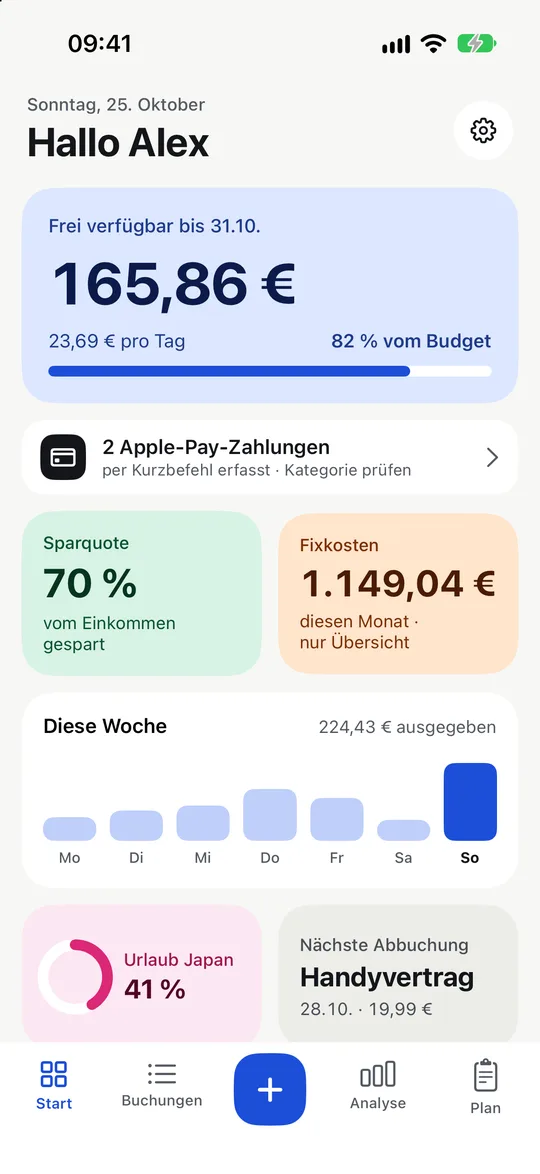
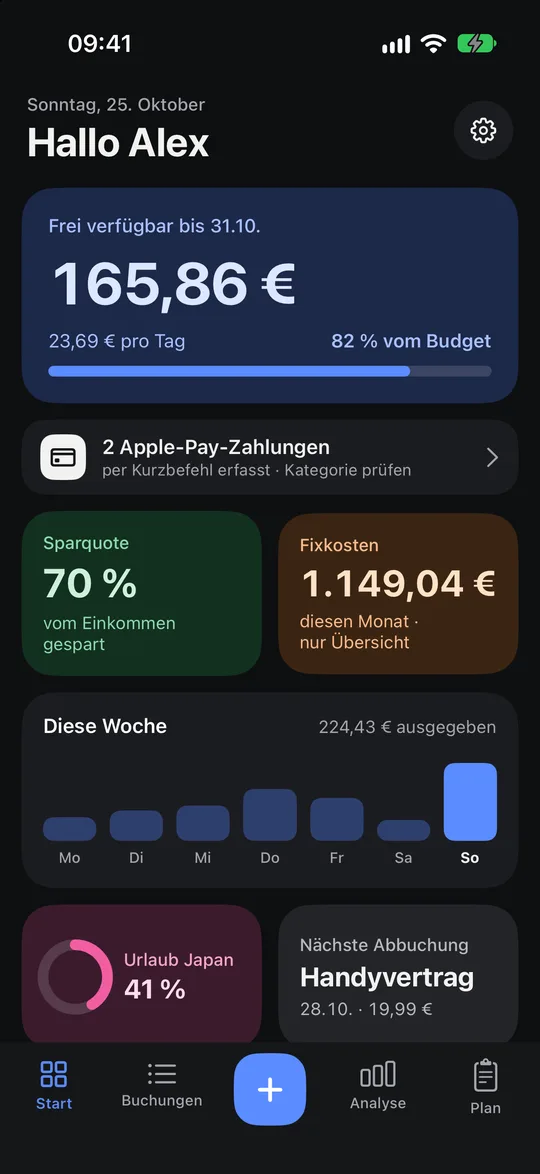
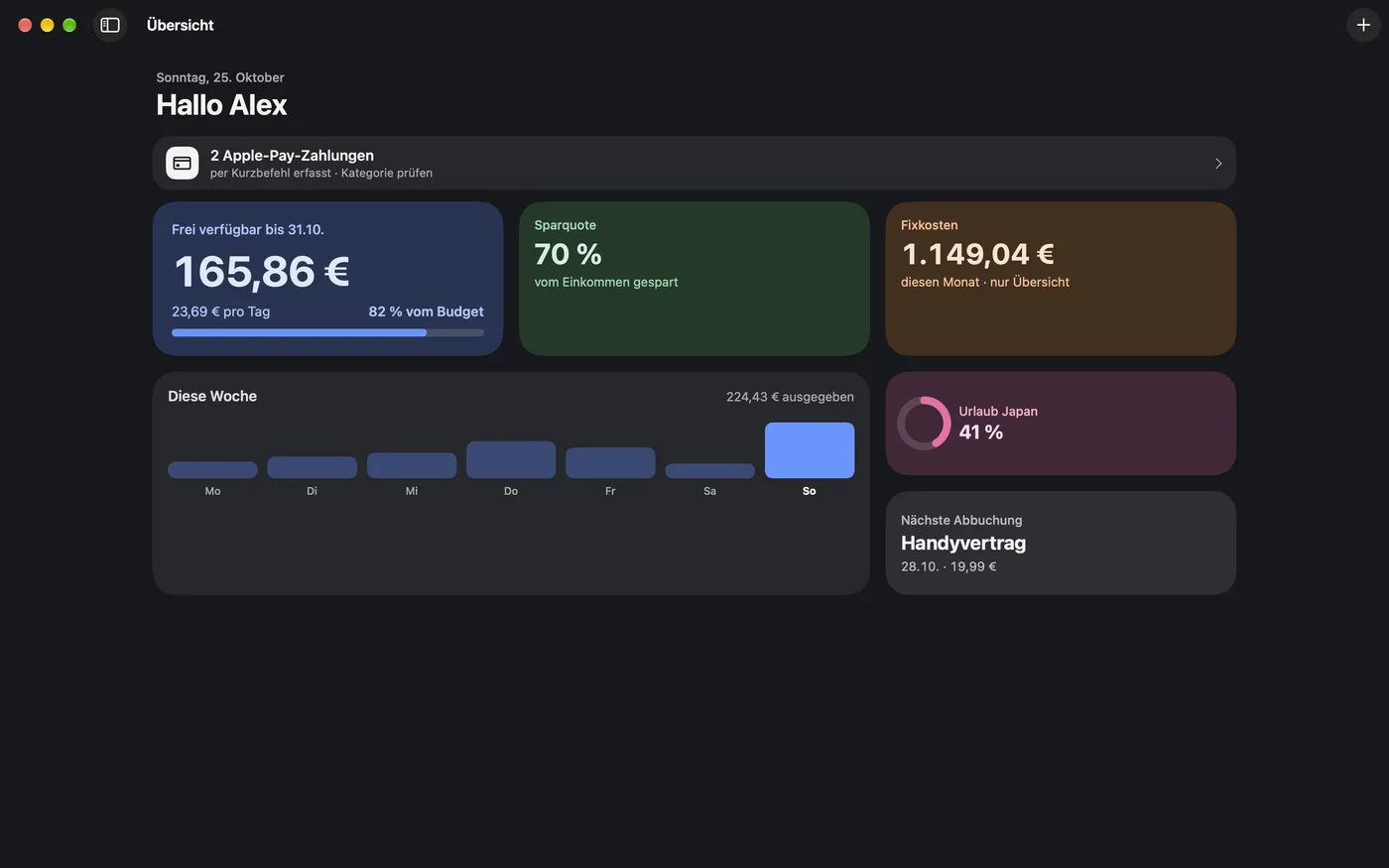
How much you can still spend this month, at a glance.
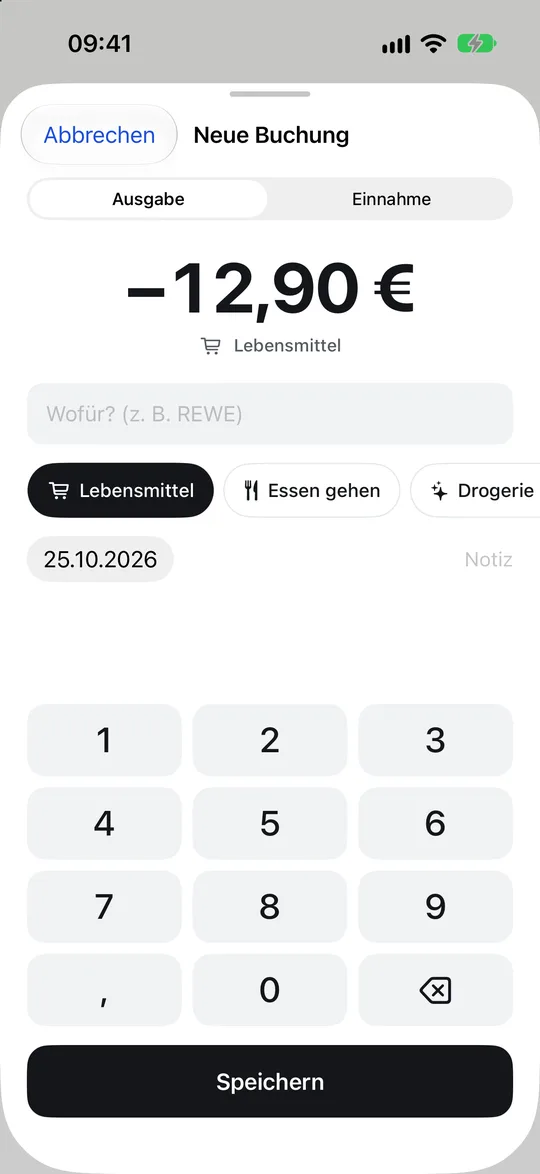
Set a monthly limit and when your month starts, for example payday. Finanzen then shows what is left until the end of the month and what that means per day. Adding an expense takes seconds, and the app suggests the category by merchant.
- iPhone and Mac
- Version 2.2 on the App Store
Mac
What the app does
How it works
- Set a monthly limit and see what is left, also per day
- Your month starts when you want, for example on payday
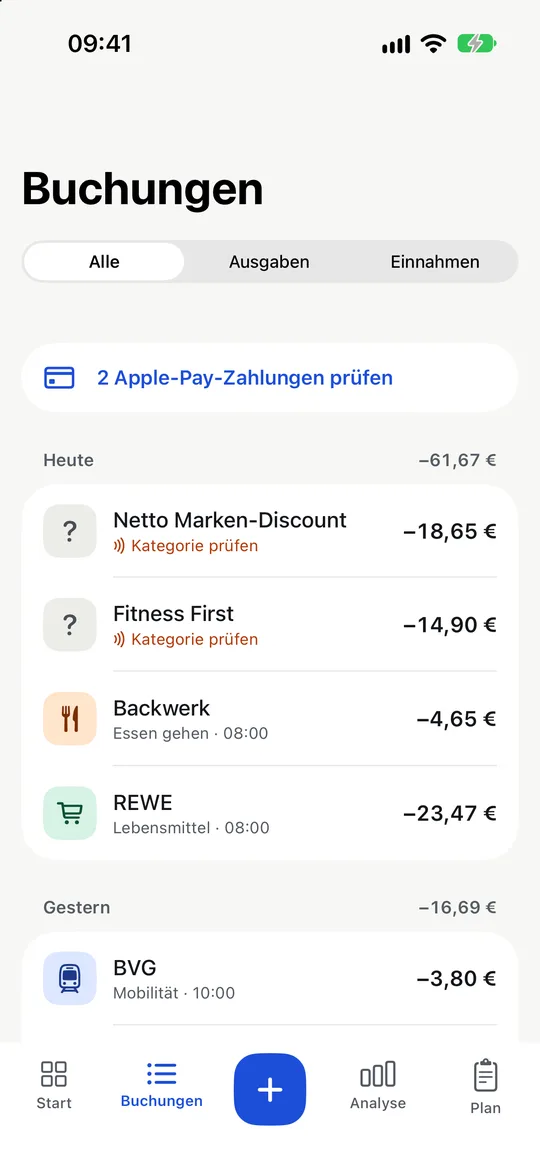
- Add expenses in seconds: type the amount, pick a category, done
- Category suggestions by merchant: sort it once and the app remembers
Customisation and comfort
- Income such as refunds or sales raises your monthly budget, switchable per transaction
- Create your own categories with colour and symbol, sort and hide them, on iPhone and Mac
- Merchant names are cleaned up, “REWE Markt GmbH Fil. 1234” becomes “REWE”, with much better category suggestions
- Tap the savings rate to see the calculation behind it
- Fixed-cost transactions are not counted twice, they are already in the plan
- A short tour after setup, restart it any time in Settings
- Also in English, with a currency of your choice
New in version 2.2
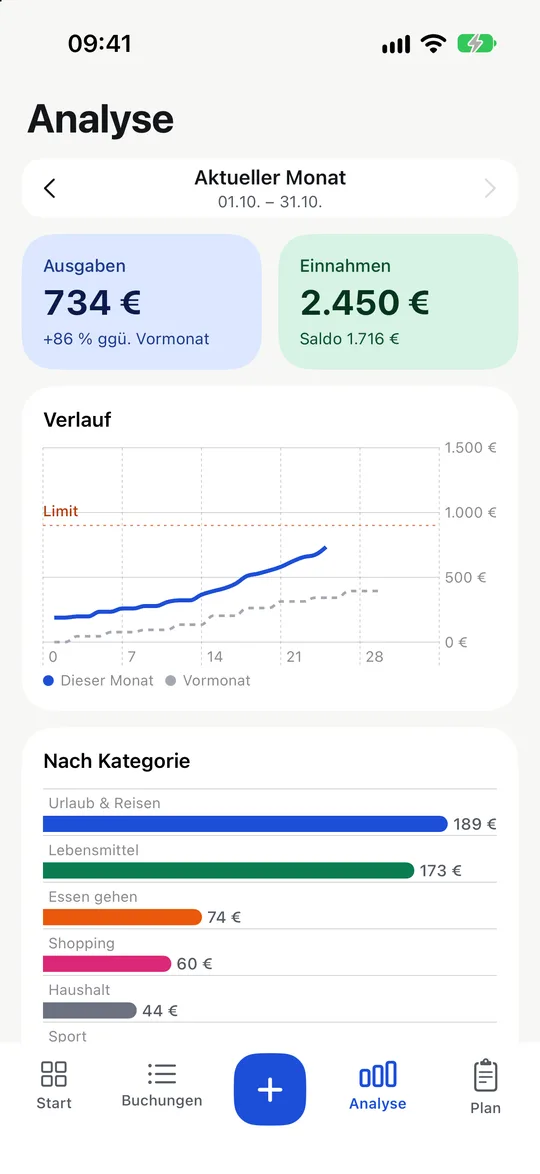
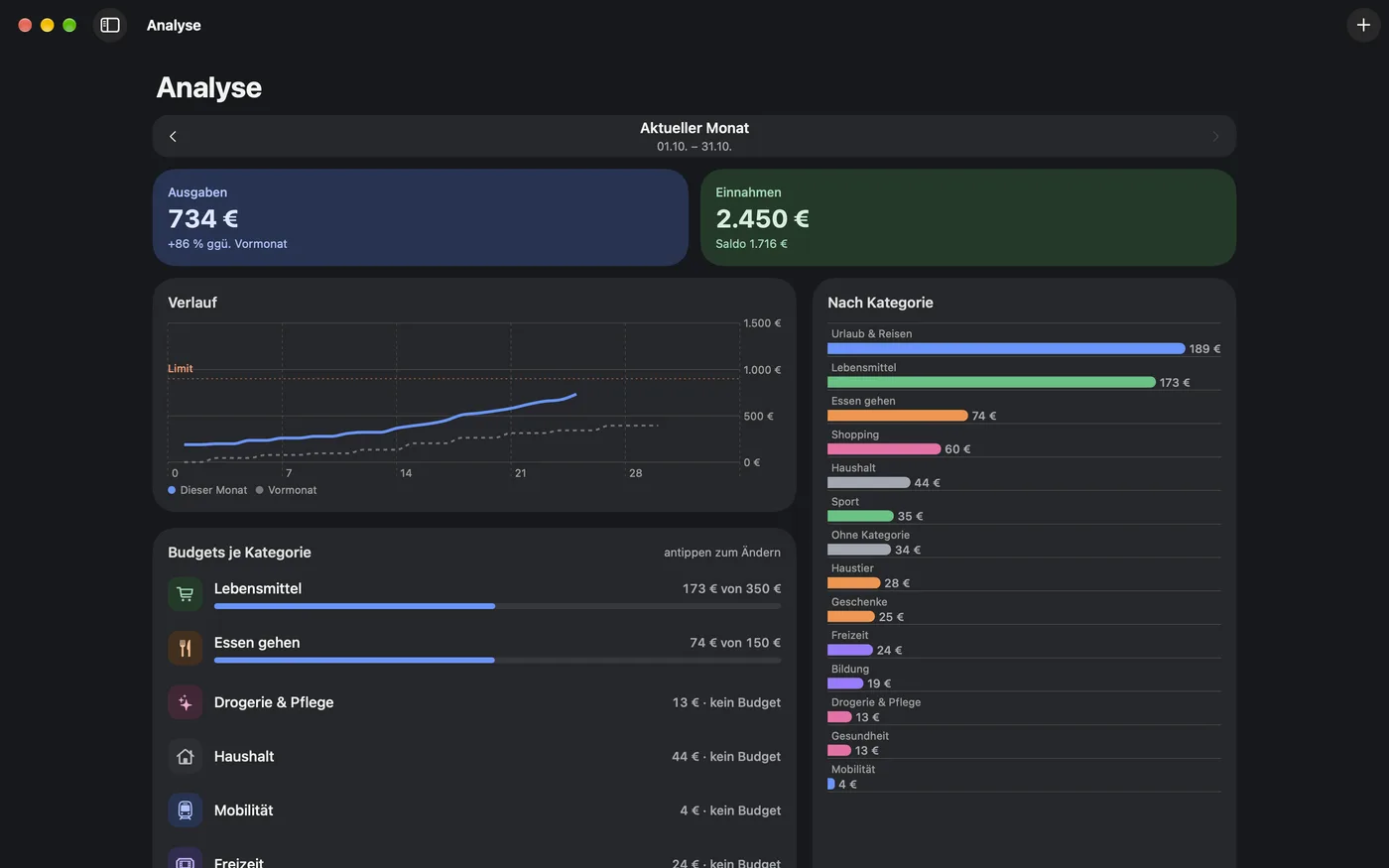
- Tap a category in Analysis to see its transactions
- Search transactions by amount too, on iPhone and Mac
- Home: spent and budget right below the bar
- Status of the Wallet payments automation: last run, last payment captured and errors
- The medium “What is left” widget also shows what you have spent
Fixed costs in one place
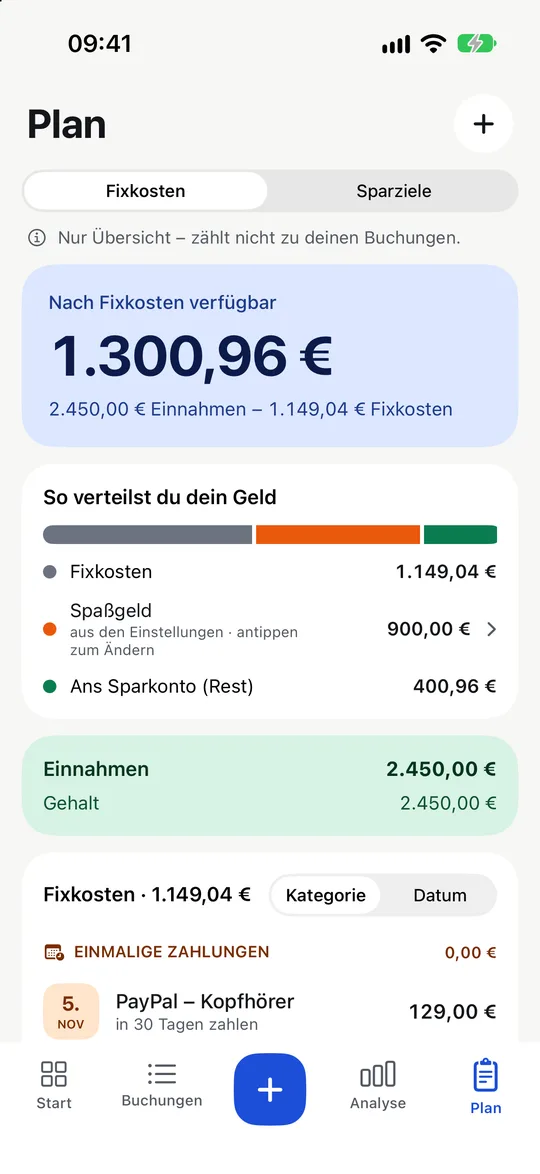
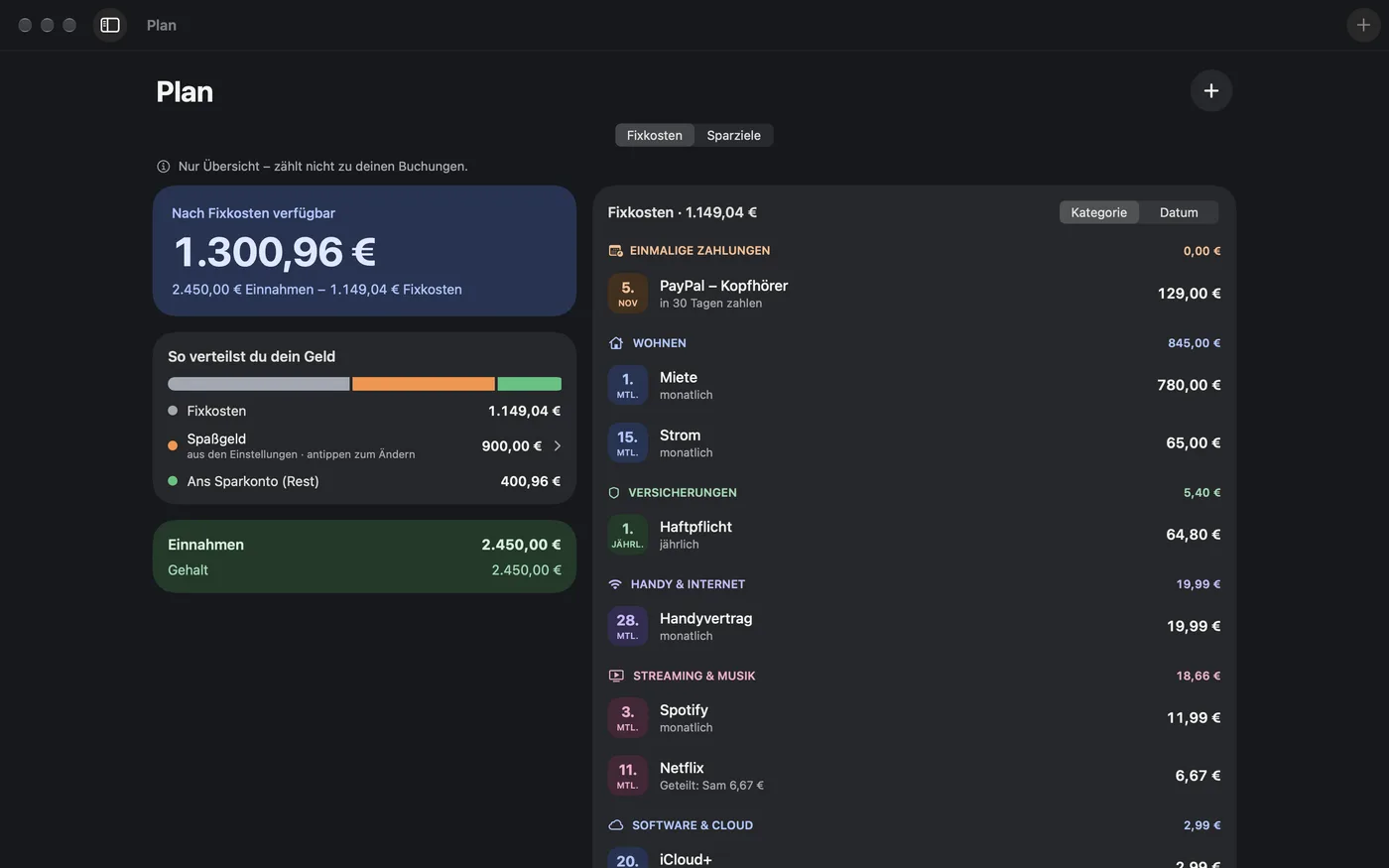
- Rent, insurance, phone, subscriptions and one-off payments at a glance
- Shared costs: note who pays how much
- A reminder before every debit and a preview of the week on Mondays
- See what is left after fixed costs and what can go into savings
Analysis and savings goals
- Monthly trend compared with last month, with a limit line
- Spending by category and budgets per category
- Savings goals with an expected date
Wallet payments, automatically
- With a Shortcuts automation, card payments from Wallet land in the app by themselves
- Confirm the category right from the notification
- The instructions are inside the app
iPhone and Mac
- A real Mac app with a sidebar, a transactions table and keyboard shortcuts
- Your data stays the same on all devices through iCloud
- Light and dark mode
Widgets
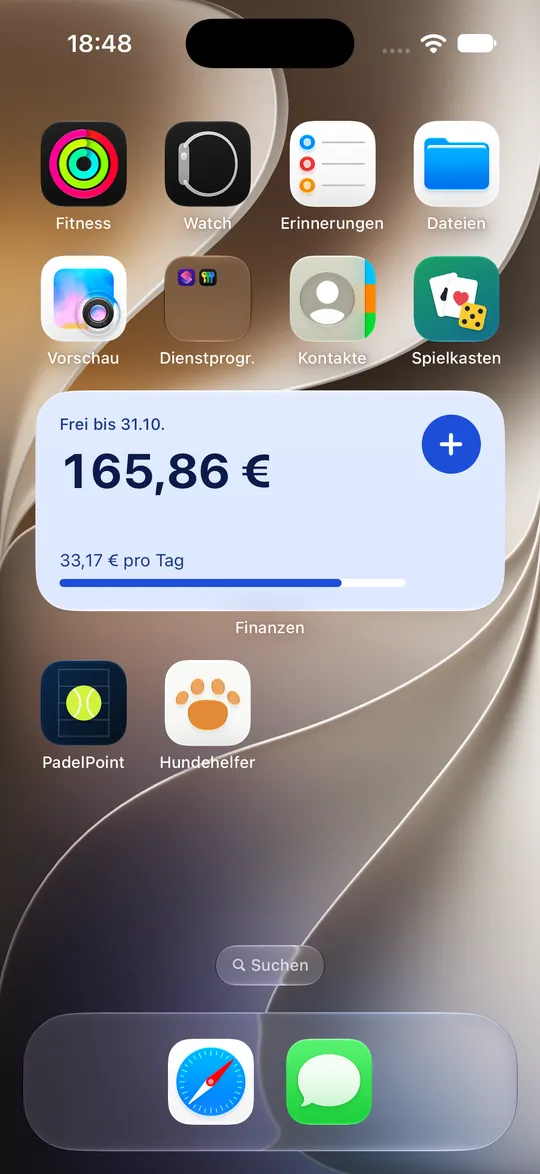
- What is left: until the end of the month and per day, with a plus for a new transaction
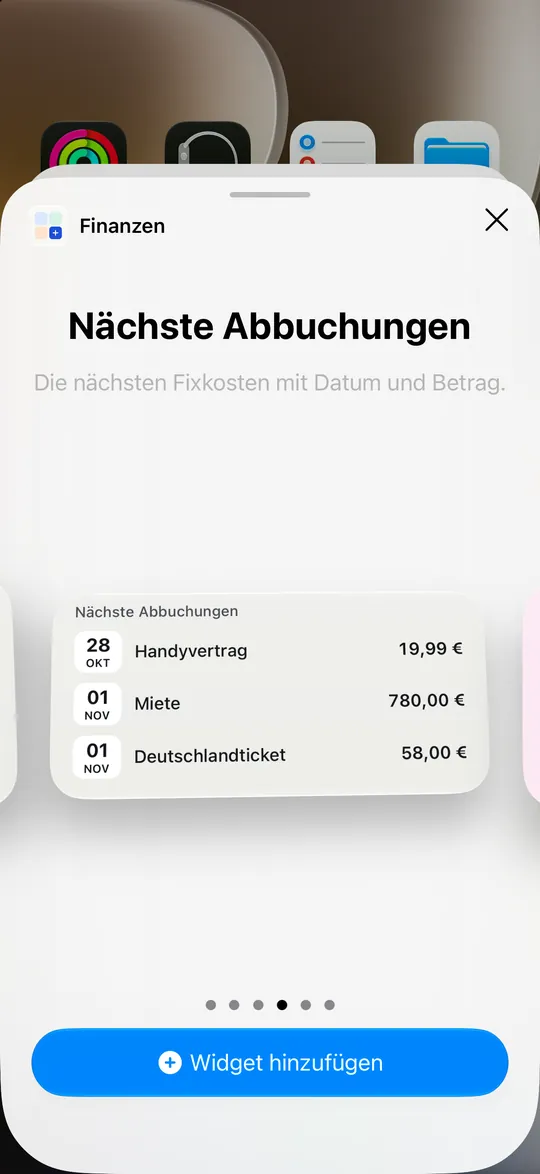
- Next debits with date and amount
- Savings goal as a ring and quick entry
- On the Lock Screen, in Control Center and on the Mac desktop
- Amounts are hidden on a locked iPhone
Private and secure
- No account, no ads, no tracking
- Data only on your devices and in your private iCloud
- Protected with Face ID or Touch ID, on the Mac also when the screen locks
- Export all transactions as CSV, for example for Excel
At a glance
- Devices
- iPhone and Mac
- Requirements
- iOS 18 and macOS 15 or later
- Status
- Version 2.2 on the App Store
- Your data
- On your devices and in your iCloud
- Language
- German and English
- Price
- Free, in every country except mainland China